World Book Day Resources for SEND Learners.
World Book Day is all about celebrating stories. For learners with additional needs, having the right resources can make the difference between watching from the side lines and joining in with the fun. That’s why these activities are designed to work with a range of access methods, so everyone can take part in a way that suits them.

Inclusive Stories: multi-sensory storytelling that everyone can access
Not every learner can access a traditional book, and that’s OK. Inclusive Stories helps open the door to storytelling through clear visuals, structured interaction, and a multi-sensory approach that supports engagement and understanding. Multi-sensory stories are especially powerful for learners with additional needs because they: • make stories feel real through sound, visuals, and interactive moments • support anticipation, attention, and cause and effect • create opportunities for communication, shared attention, and turn taking • help learners explore literacy at their own pace, without relying on print alone Inclusive Stories are written by an SEN teacher and designed to be enjoyed by learners of all ages and abilities.

What’s included with each of our Inclusive Stories
Each story comes with a full pack of supporting resources to help you run meaningful sessions without starting from scratch. You can dip in for quick ideas or use the guidance to build a fuller lesson or sensory session. Resources include: • Delivery guidance to support planning and differentiation. • Props lists to help bring the story alive through real objects and sensory play. • Printables and activity sheets to extend learning off screen. • Symbol sheets for AAC users. • Assessment and recording sheets. • Cross curricular activity ideas to link storytelling to wider learning.
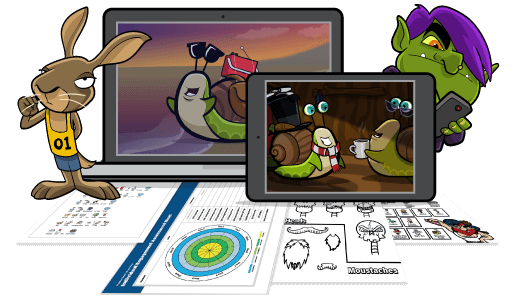
Personalise learning for every learner with ChooseIt Maker
ChooseIt Maker is a flexible tool that helps you create personalised activities for your learners. You can turn your photographs, images, text-to-speech, symbols, text, and sounds into question and answers, quizzes, communication aids and more. For World Book Day, ChooseIt Maker makes it easy to build activities around the books and characters your learners love, or to create themed tasks even if learners are not reading a printed text. Here are a few simple ideas to get started: • Accessible comprehension: multiple choice questions about characters, settings, and key events. • Bring the book into the activity: upload images from the story and add familiar sounds, key phrases using text-to-speech, or recorded voice. • Create your own story: learners choose a character, a place, and what happens next. • World Book Day quiz: favourite characters, matching, sequencing, “who said it?”, story sounds. • Choice making and communication: pick a story to read, vote for the favourite story of the day, choose a costume or prop, select what happens next.

4 free World Book Day activities for ChooseIt Maker
To make things easy, here are four pre-made World Book Day activities you can access using the share codes below. They’re a great starting point if you want something quick, or if you’d like to see what’s possible before creating your own.
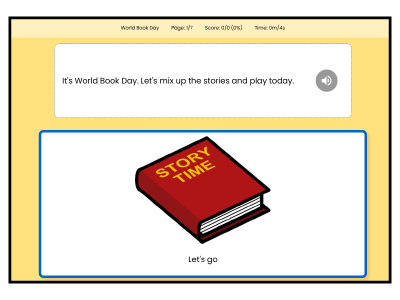
The great fairy tale mix up
Celebrate World Book Day with this fun activity. Learners help familiar characters make choices that create a brand new mixed up story. Share code: UNDDHV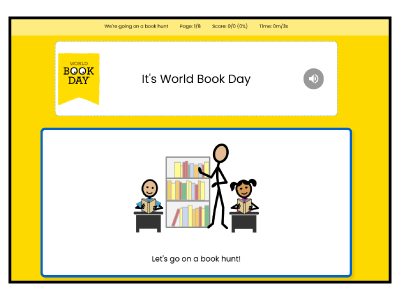
We’re going on a book hunt
Based on the story “We’re Going on a Bear Hunt”, this version takes learners on a “Book Hunt” journey through fairy tales, magical forests and cities. Share code: NAFPFW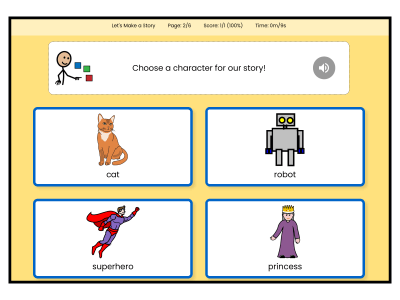
Let’s make a story
Learners create their own short story by making choices. They select a character, decide where they go, and choose what happens next. Share code: CHPERH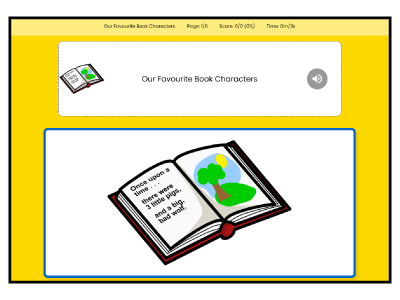
Our favourite book characters
An enjoyable activity that encourages learners to talk about their favourite characters and stories. Share code: RMAWBC
Quick tips for a brilliant World Book Day session
Keep it simple, keep it sensory, and give every learner a way to take part. Start by choosing one small goal, like making a choice, taking a turn, or showing “more” and “finished”. Short sessions work best, and repeating a favourite moment is often where the magic happens. If you’re using Inclusive Stories, pull in one or two props from our included prop lists and let learners explore them as the story plays. Use the narration and subtitles to model key words. The story will pause throughout to allow time for responses or activation of access methods. A look, a reach, a smile, a switch press all count. If you’re using ChooseIt Maker, keep the activity focused and personalised. Use familiar photos, symbols, and simple questions, then build in easy choices like “who”, “where”, or “what happens next”. Add recorded sounds or phrases from the story to make it instantly recognisable and motivating.